Main Menu, Bootstrap Flow and Multiplayer Debug UI
The prototype now has a proper startup flow with a main menu, a persistent bootstrap scene, host and client buttons, scene loading through Netcode, and a small multiplayer debug overlay.
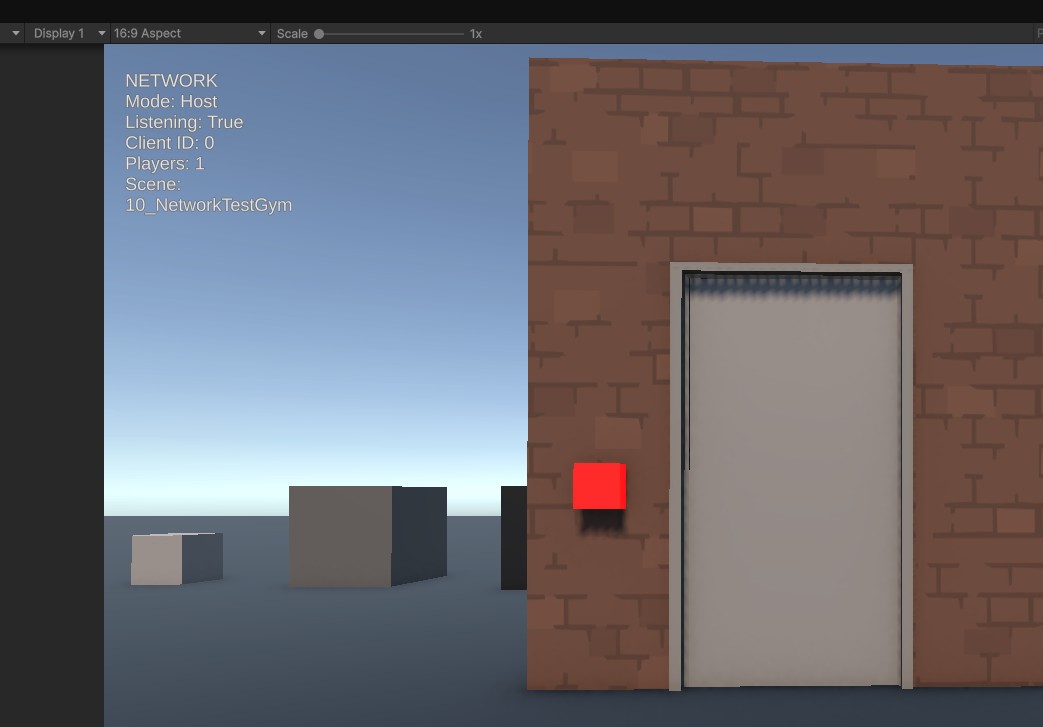
Today’s update focused on cleaning up the foundation around the multiplayer prototype and turning the old test setup into a more proper game startup flow.
Until now, the prototype was mostly launched directly from the gameplay test scene. This worked for early testing, but it was not a clean structure for a real project. The game now starts through a dedicated Bootstrap scene, which keeps the core network objects alive and then loads the main menu.
The main menu was rebuilt, the temporary test buttons were replaced with a more polished menu layout, including dedicated Host Game and Join Game actions. Starting as host now launches the network session and loads the gameplay test scene through Netcode scene management. Joining as a client now connects from the same menu flow.
A persistent AppRoot was added to manage the network setup across scene changes. The NetworkManager and Unity Transport now live on this root object, making the startup flow more stable and easier to expand later into a real lobby, character select and mission launch structure.
Several issues were fixed along the way. The NetworkManager had to be moved onto the root object directly, because Netcode does not allow it to be nested under another object. The test scene also had to be cleaned up so the correct gameplay scene was loaded instead of an old duplicate scene. This fixed the problem where the player spawned but the rest of the level appeared to be missing.
A small multiplayer debug overlay was also added. It shows the current network mode, connection state, client ID, player count and active scene. This makes it much easier to see whether the game is currently offline, hosting or connected as a client during local multiplayer tests.
The debug UI was made non-interactive so it does not block menu clicks. This was important because the overlay is persistent and stays visible across menu and gameplay scenes during development.
A gameplay spawn manager was also added to the test scene. It moves connected players to real scene spawn points after the gameplay scene has loaded. This prevents players from spawning too early or appearing in the wrong place when the host loads the level from the main menu.
Current systems improved today include:
- Main menu integration
- Bootstrap scene setup
- Persistent AppRoot
- NetworkManager and Unity Transport cleanup
- Host Game and Join Game menu actions
- Netcode scene loading from menu to gameplay
- Multiplayer debug overlay
- Debug UI raycast blocking fix
- Gameplay scene naming cleanup
- Player spawn handling through scene spawn points
- Local host/client test flow stabilization
This update does not add new gameplay mechanics, but it makes the project structure much cleaner. The prototype now has a stronger foundation for the next steps: player nameplates, lobby flow, character selection and eventually the full mission loop.